
If you’ve been already working with JavaScript, you’re not alone in feeling confused about the differences between CommonJS and ES Modules (ESM) – especially when it comes to how the “type” field in package.json affects your project.
This post breaks down what that field actually does, how it impacts import/export syntax.
What does 'type' in package.json actually do?
Since Node v14, you can use ECMAScript Modules (ESM) natively – no transpiler needed
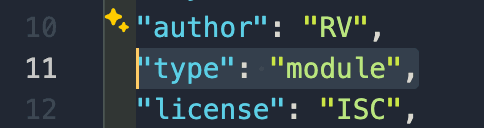
This tells Node.js how to interpret .js files in your project

so: the “type” field only affects .js files, not .mjs or .cjs
What are CommonJS and ES Modules (ESM)?
CommonJS – the traditional module system used in NodeJS

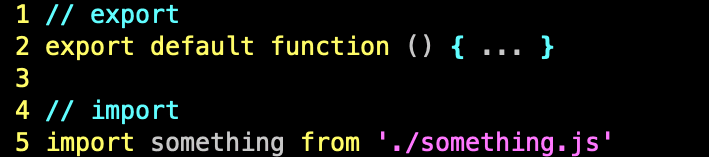
ES Modules (ESM) – the modern, standard way of defining modules in both browser and NodeJS
Conclusion
The “type” field in package.json is a switch that tells NodeJS how to handle .js files in your project: either as CommonJS (require/module.exports) or ES Modules (import/export).
Choosing between them depends on your tooling, the libraries you use, or whether you’re writing for modern or legacy environments.
If you’re starting a new project and using modern tooling, go with ESM. But if you are in a legacy environment or rely heavily on require, momentarily it is fine to stick with CommonJS.