When working with npm scripts, you might occasionally need to pass additional command-line arguments without modifying your package.json.
Luckily, npm provides a simple way to do this using the -- separator.
The Problem
Let’s say you have the following script defined in your package.json:
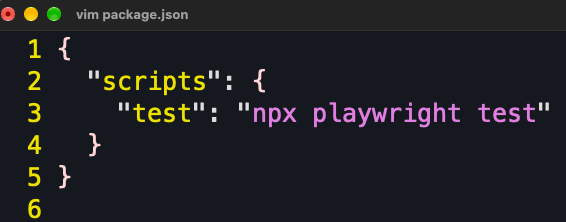
Running npm run test executes:
npx playwright testBut what if you want to run your Playwright tests in headed mode, so you can actually see the browser while the tests execute?
You might try ‘npm run test --headed' , however, npm doesn’t reliably forward arguments like --headed directly to the underlying script.
The Solution: Use --
To pass additional arguments to an npm script, simply add -- before your arguments:
npm run test -- --headedThe -- separator tells npm to stop interpreting subsequent arguments and pass them directly to the script being executed.
Effectively, the command becomes:
npx playwright test --headedThat’s it! No changes to your package.json are necessary.
Final thoughts
The next time you need to customize the behavior of an npm script, remember this simple pattern:
npm run <script-name> -- <additional-arguments>It’s a small trick, but it makes npm scripts much more flexible and saves you from creating multiple scripts for minor command variations.
One separator, unlimited possibilities.