Performance testing usually involves writing k6 scripts, checking the syntax, running tests, and then analyzing the results. With the Grafana k6 MCP server and OpenCode, some of this workflow can be assisted directly through an AI coding environment.
In this article, we’ll configure OpenCode (an open source agent that helps you write code in your terminal, IDE, or desktop) to use the Grafana k6 MCP server through Docker and look at a few practical QA use cases.
What is the k6 MCP Server?
The Grafana k6 MCP server is an experimental Model Context Protocol (MCP) server that connects AI tools with k6.
It provides capabilities such as:
- Script Generation with
generate_script: Generate production-ready k6 test scripts from plain-English requirements. It automatically follows modern testing practices by leveraging embedded best practices and the official k6 documentation. - Script Validation:
validate_scriptruns k6 scripts with minimal configuration (1 VU, 1 iteration) and returns actionable errors to help quickly produce correct code. - Test Execution:
run_scriptruns k6 performance tests locally with optional VUs, duration, and iteration overrides, and, when possible, extracts insights from the results. - Documentation Browsing:
list_sectionsandget_documentationprovide structured navigation of the official k6 docs and allow retrieving full markdown for specific sections. Docs are downloaded on first use, cached locally, and automatically kept fresh via periodic staleness checks. - Best Practices Resources: Comprehensive k6 scripting guidelines and patterns to help you write effective, idiomatic, and correct tests.
The project is maintained by Grafana and is available on GitHub – HERE
The Docker image is the recommended way to get started with the server, and the image includes k6 and its required dependencies.
What are we building?
The setup is quite simple:
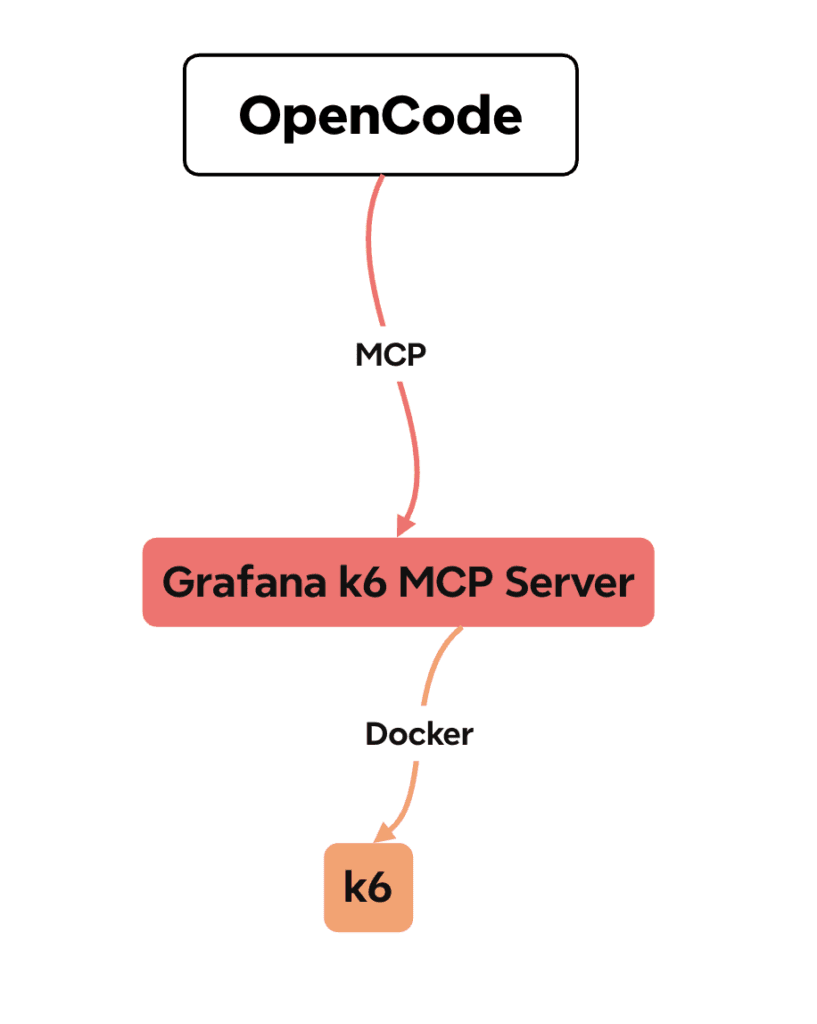
We’ll also keep Context7 configured as another MCP server:
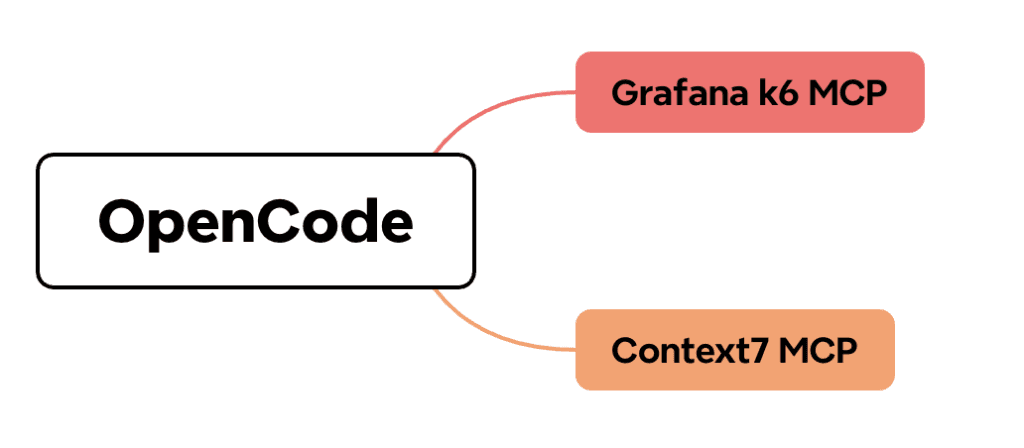
This allows OpenCode to use both MCP servers from the same project configuration.
Prerequisites
1. NodeJS and NPM installed
2. Docker installed and running
3. A project where you want to use OpenCode
Step 1: Setup
1. Pull the official image for Grafana k6 MCP
docker pull grafana/mcp-k6:latest
2. In the project folder, install OpenCode as NPM dependency:
npm install -D @opencode/cli
3. In the project root, create new file opencode.json and add the following configuration
{
"mcp": {
"servers": {
"context7": {
"type": "remote",
"url": "https://mcp.context7.com/mcp"
},
"k6": {
"type": "local",
"command": [
"docker",
"run",
"--rm",
"-i",
"grafana/mcp-k6"
        ]
      }
    }
  }
}
Step 2: Start OpenCode
Open the project with OpenCode.
Once OpenCode loads the configuration, it should start the configured MCP servers automatically.
You can also check the MCP configuration using OpenCode’s MCP commands. The OpenCode documentation provides opencode mcp list for checking configured MCP servers, or directly in Opencode you can type /mcps
The important thing to verify is that the k6 server is connected successfully.
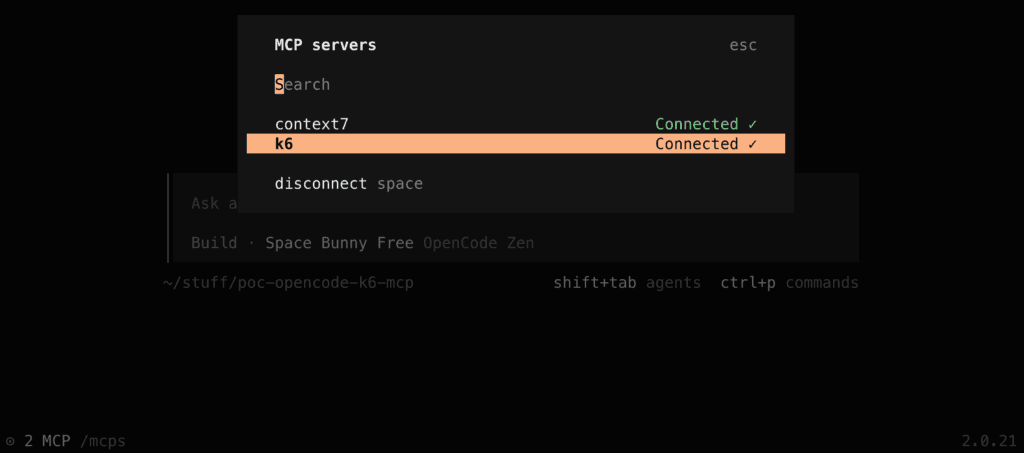
Step 3: Ask OpenCode to Generate a k6 Test
Now we can use the k6 MCP capabilities from our QA workflow.
For example, you could ask OpenCode:
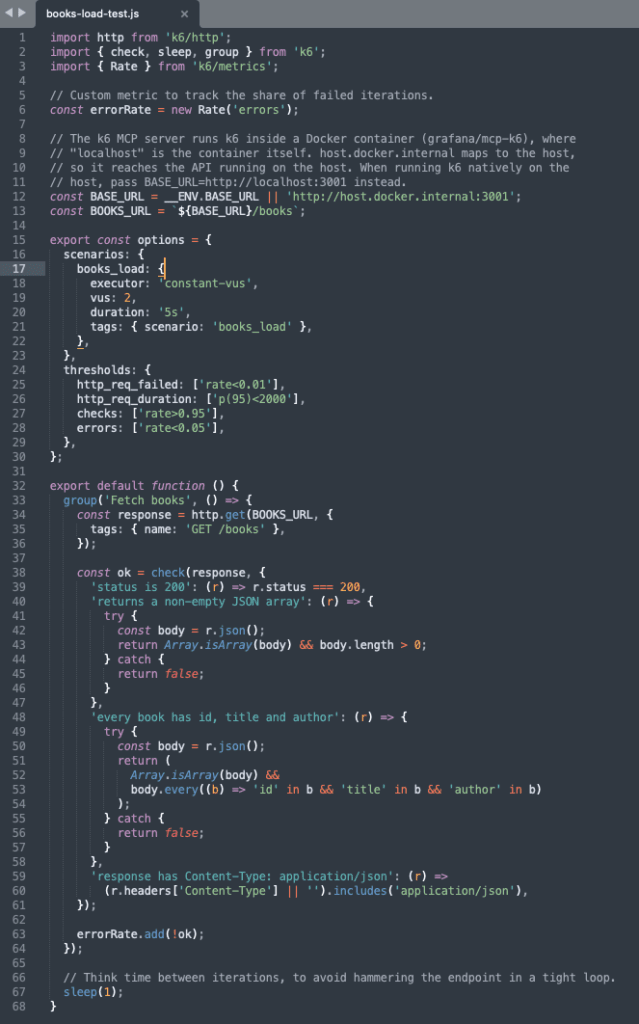
Use the k6 MCP server to create a basic load test for GET “http://localhost:3001/books” using 2 VUs sending requests for 5 seconds.
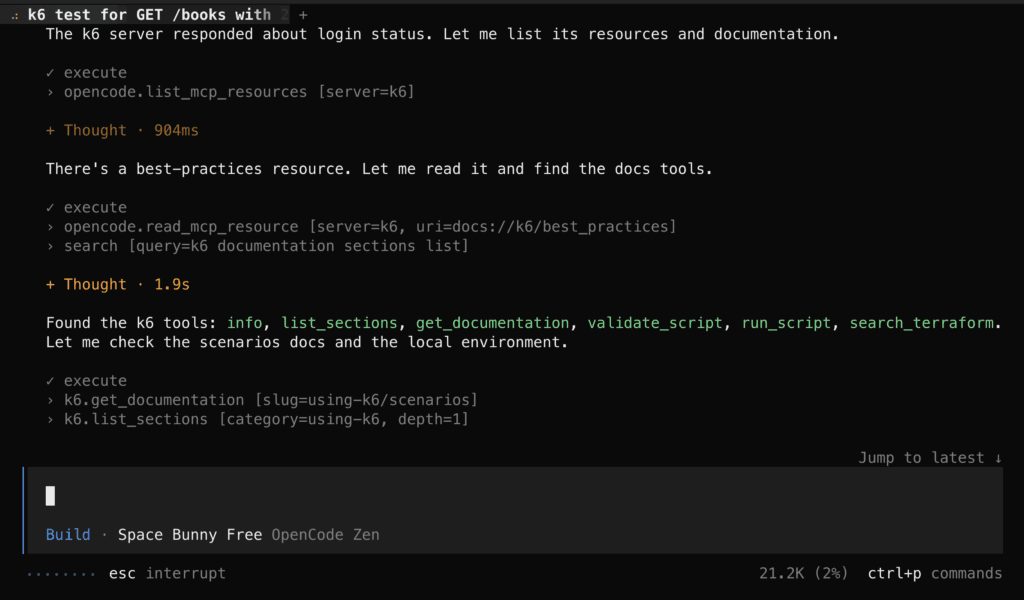
Opencode starts running, using the Grafana k6 mcp server to generate the k6 script:
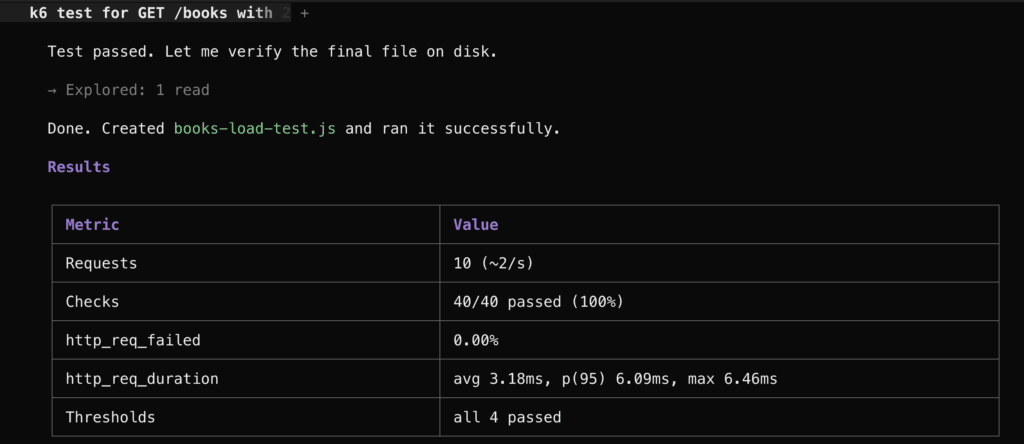
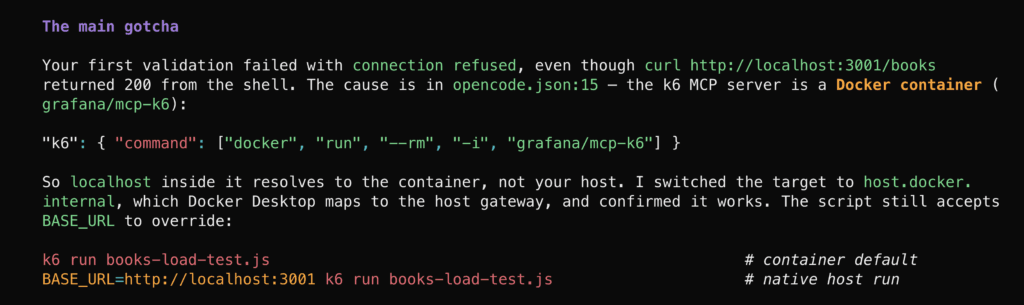
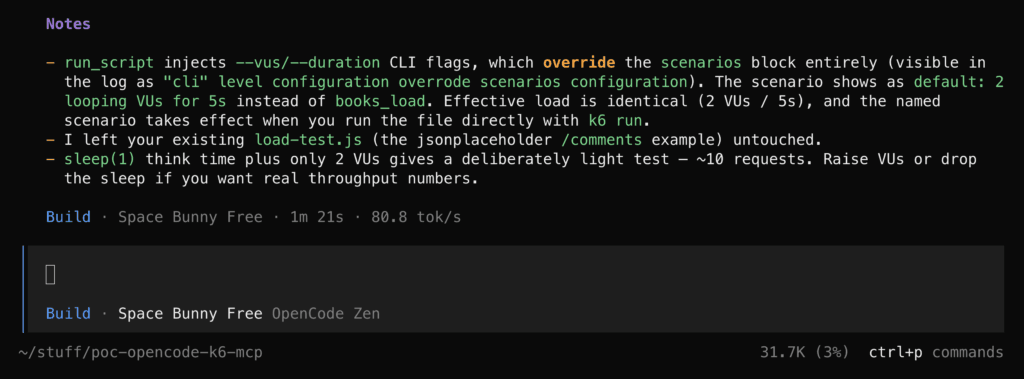
The result
Step 4: Ask Opencode to validate the script
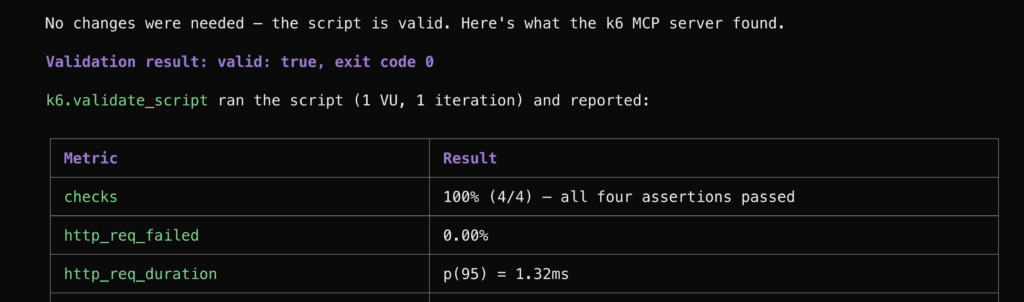
You can use the following prompt:
use k6 mcp server to validate “books-load-test.js” script and fix any errors you find
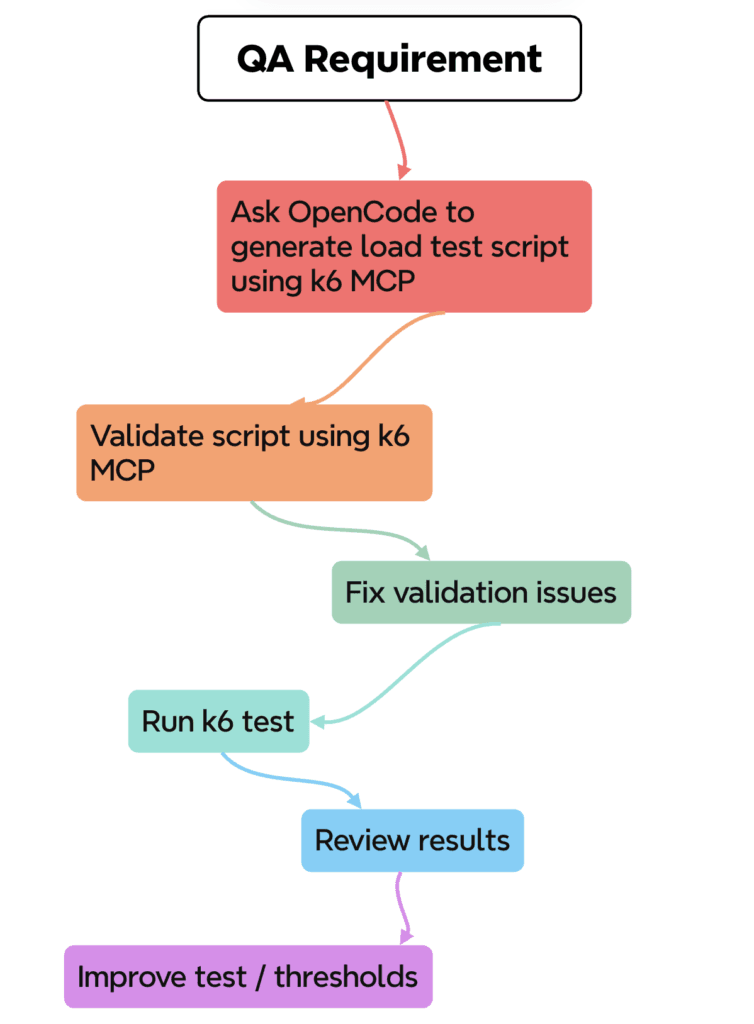
A simple QA workflow might be
Conclusion
Integrating OpenCode with the Grafana k6 MCP server is relatively straightforward.
Once configured, OpenCode can communicate with the k6 MCP server and access capabilities for script generation, validation, documentation, and test execution.
For QA engineers, this can make exploratory performance testing faster: describe the scenario, generate a k6 script, validate it, run it, and iterate.