
Starting with k6 v0.57, TypeScript support is enabled by default, which makes it even easier for developers to write performance testing scripts with the added benefits of type safety and modern features.
Why Use TypeScript in k6?
TypeScript offers several benefits over traditional JavaScript, including:
Type Safety: Catch type errors at compile time, improving the reliability of your test scripts.
Intelligent Autocompletion: With modern IDE support, you’ll get better autocompletion and suggestions when writing test scripts.
Improved Maintainability: Type annotations make the code easier to understand, which is helpful when managing large testing scripts.
Familiarity: If you or your team are already using TypeScript for development, adopting it for testing scripts makes the transition smoother.
Setting up TS for k6
To get started with TypeScript in k6, the setup process is quite simple. If you’re familiar with how to set up TypeScript in other environments, it should feel very familiar.
1. Install k6 v0.57 or higher
You can check the version of k6 installed using the following command

If you need to install or update k6, download it from the k6 official website
2. Install TypeScript
You can install it globally, using NPM
npm install -g typescript
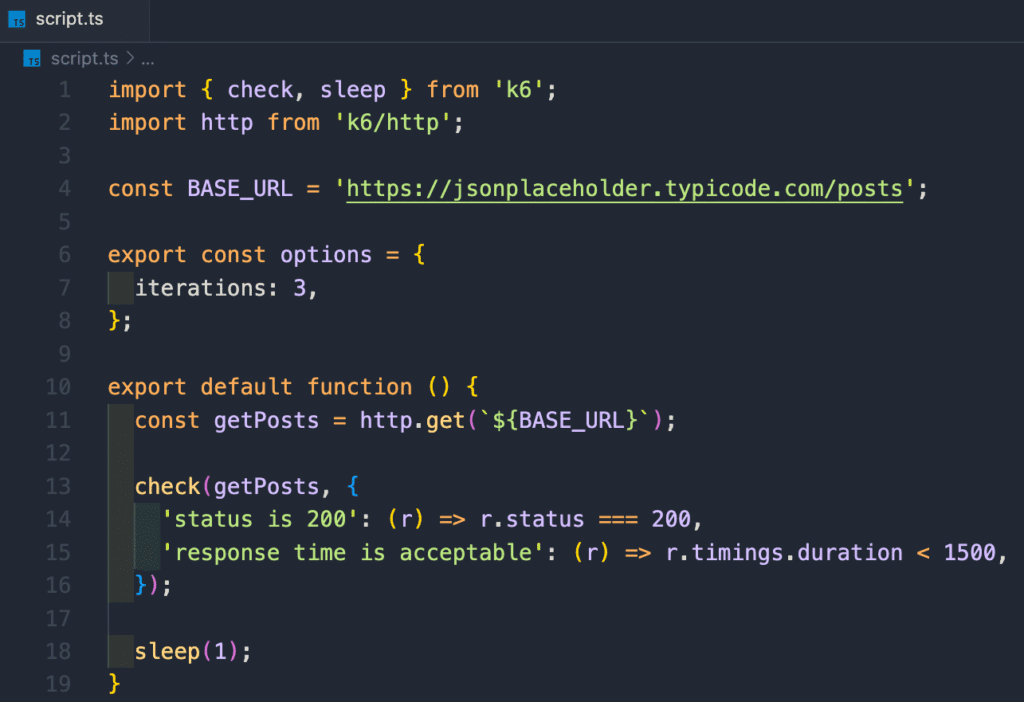
3. Write your first typescript test with k6
Create a file with the .ts extension (e.g. script.ts) instead of the typical .js. Now, you can start writing your k6 test script using TypeScript.
4. Run the TS test script
To run the script, use the following command k6 run script.ts
Behind the scene, k6 will automatically handle the TypeScript transpilation in the background using esbuild, so there’s no need for a separate build step.
Optional: What you still might want
While you don’t need any npm setup and packages anymore to run the .ts k6 tests, you might still want it for:
1. better IDE experience
2. advanced typescript features (e.g. custom tsconfig.json for stric typing rules)
You can achieve that by running npm init and installing the following dev dependencies
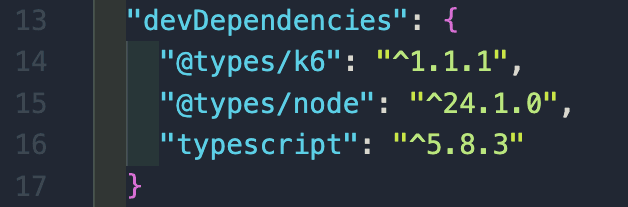
Also create tsconfig.json file in the project root and configure it
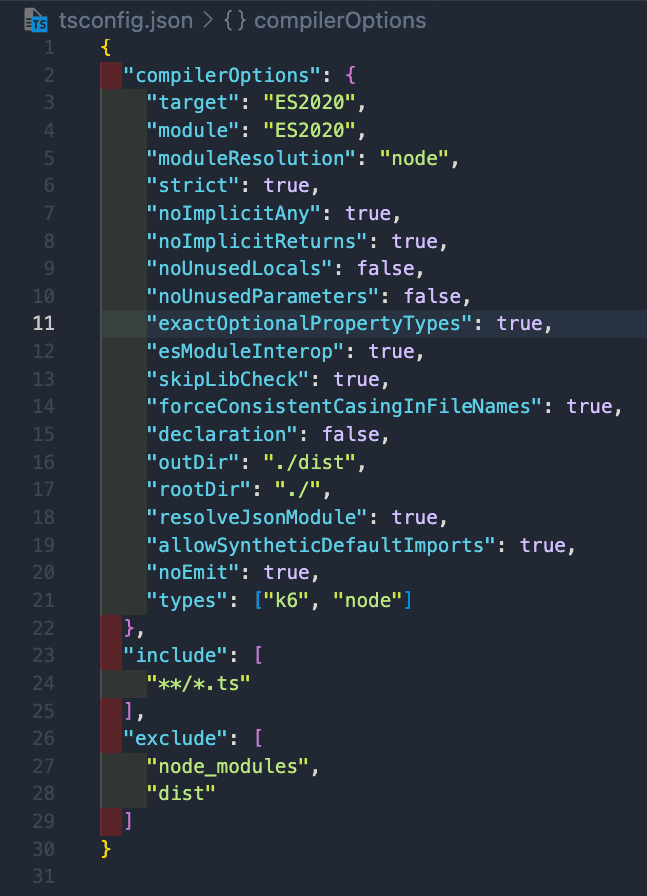
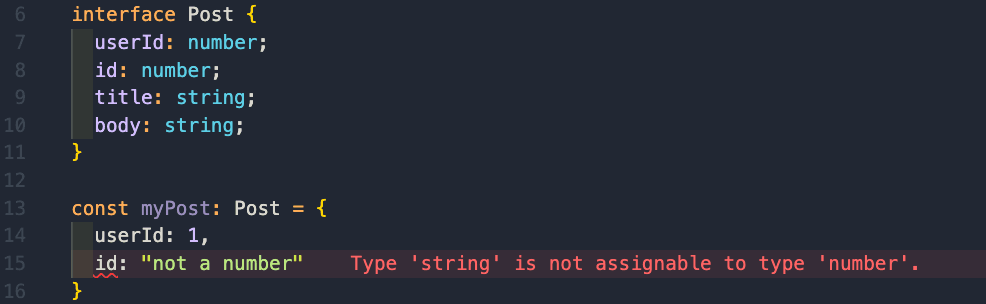
This approach allows you to catch typescript errors without emitting files by running npx tsc –noEmit

Of any typescript violation occurs, then the above command will throw an error.
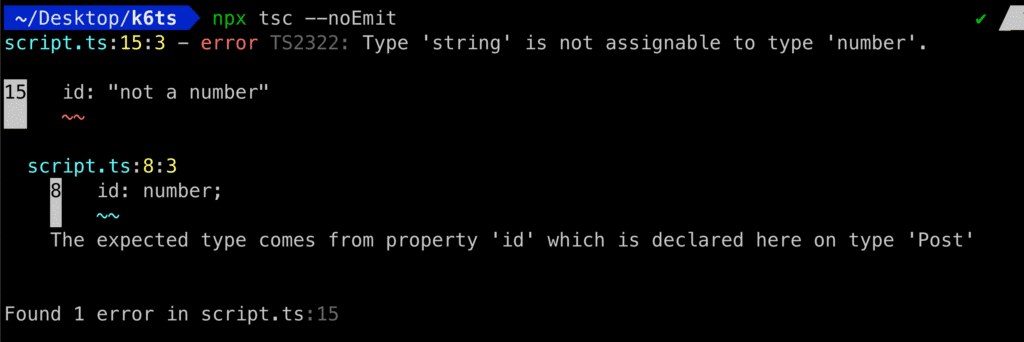
The same goes for the code editor
Conclusion
The transition to TypeScript in k6 is seamless and brings significant advantages for developers familiar with TypeScript or looking to improve their testing process. By following the steps outlined in this guide, you can start writing TypeScript-based k6 tests and take your performance testing to the next level.