
Starting with NodeJS v20, there is an experimental feature that allows us using environment variables natively in nodejs applications, without needing to install additional packages (e.g. dotenv).
What are environment variables?
Environment variables let you store configuration values outside your code. Things like API keys, ports, and database URLs. In Node.js, they’re all available through process.env

Setting environment variables
You can pass environment variables directly when you run your app in the terminal.

In this example, Node receives USER_ID and USER_KEY, and you can read them using process.env inside your app
Using .env files
Starting from Node.js 20, there’s built-in experimental support for .env files – no external libraries needed.

To load this file, run Node with --env-file flag

And just like before, you can access the value with

You can even load multiple .env files

If you want Node to load a .env file only if it exists, without throwing an error, use
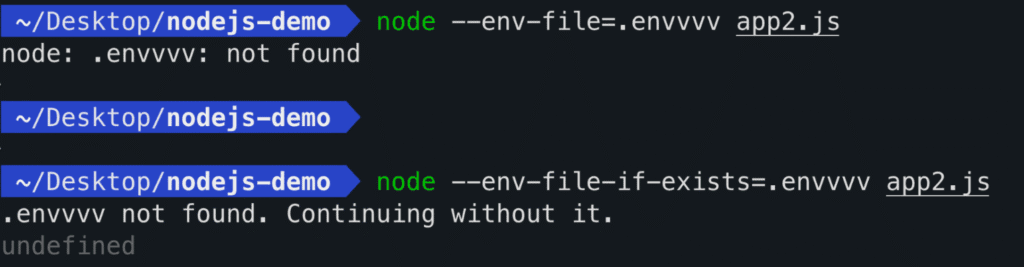
Loading .env Programatically
You can also load .env files directly from your code using process.loadEnvFile() – no command-line flags needed.
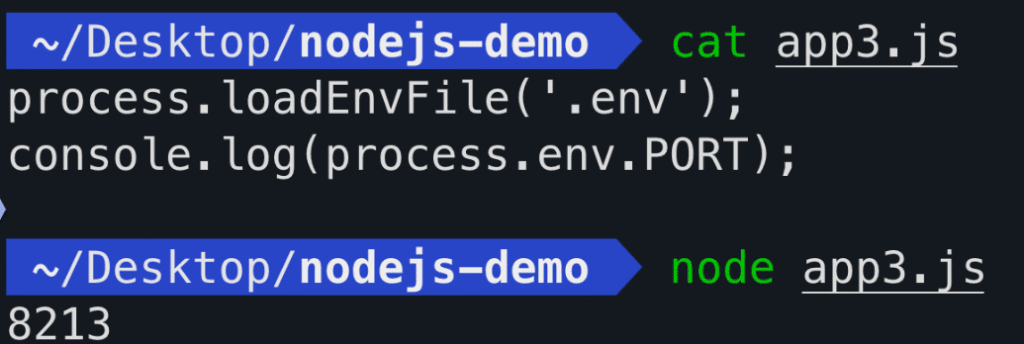
This works just like using the --env-file flag, but you trigger it inside your script.Enjoyed this article? Make sure to subscribe to my YouTube Channel for more Test Automation tutorials, and follow me on LinkedIn and Twitter for regular insights.
Looking to improve your test automation skills?
I’ve created a personalized 1-on-1 Mentoring program refined to boost YOUR CURRENT skills. Reach out at iamrv@razvanvancea.ro for more details and together will create a learning path adapted to your skills and goals that you are aiming for, in a timely-efficient manner🚀